
Code with context
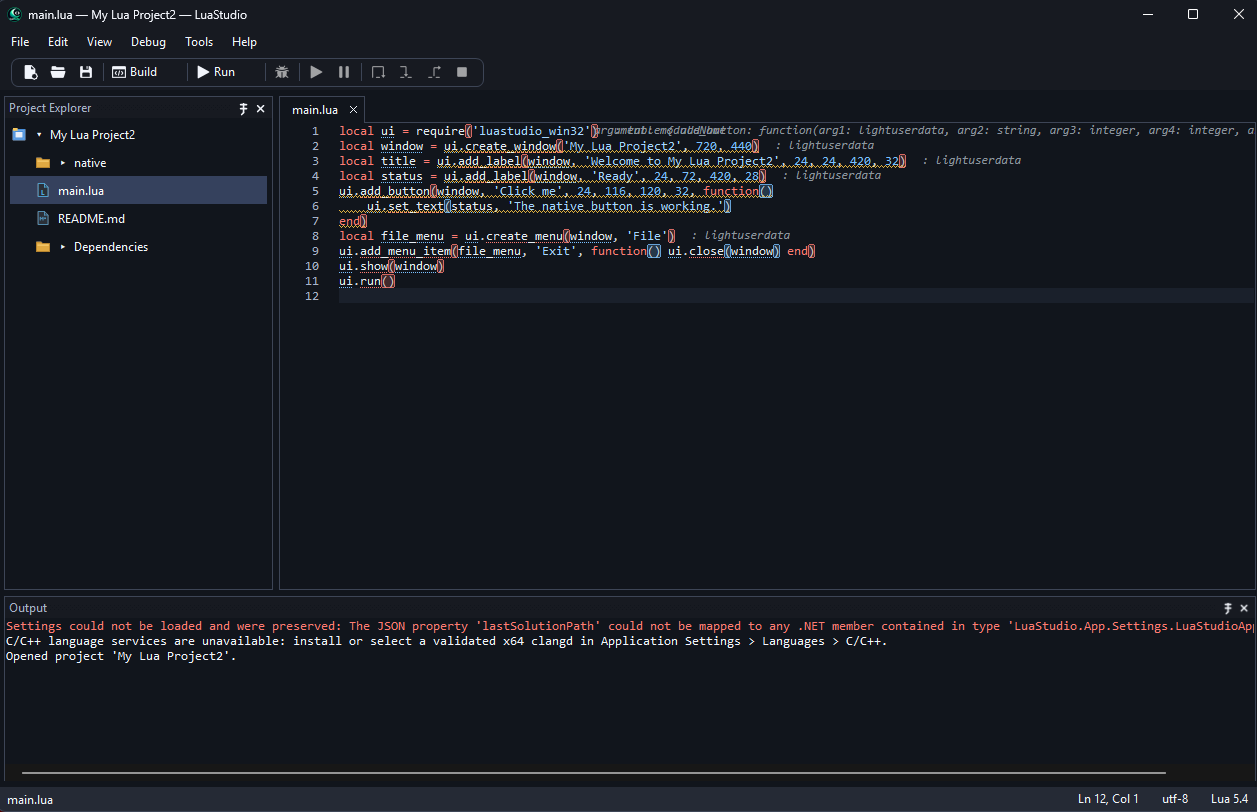
Scintilla-based editing with syntax highlighting, folding, diagnostics, navigation, and Lua IntelliSense.
LuaStudio for Windows
Write, run, debug, and build Lua applications in one focused Windows workspace—with your code, project tools, and native build workflow close at hand.
Built for the work
LuaStudio brings the editor, project tools, debugging, and native builds into a single Windows application.
Scintilla-based editing with syntax highlighting, folding, diagnostics, navigation, and Lua IntelliSense.
Use the Project Explorer, project templates, dependency tools, and file workflows from one workspace.
Configure Lua runtimes, run project tasks, set breakpoints, and inspect execution output.
Build native Lua executables and libraries with LuaJIT support and configurable build settings.
Edit C and C++ with clangd language services, and build web interfaces with HTML, CSS, and JavaScript tooling.
Use Light, Dark, or Windows-following appearance settings across the application.
Requirements
See Microsoft's current .NET on Windows support table for supported Windows versions and the Desktop Runtime installer.